Artificial Intelligence is no longer reserved for developers or big tech companies. Thanks to no-code platforms, anyone can now build powerful AI workflows — from automating customer service to generating content, analyzing data, or personalizing user experiences.
In this article, we’ll walk you through how to create your own AI-powered workflow — without writing a single line of code.
Step 1: Define Your Goal
Before jumping into tools, clarify what you want the AI to do. Some examples:
- Generate product descriptions for your e-commerce store
- Analyze survey responses and summarize insights
- Automate social media replies using ChatGPT
- Extract data from documents or emails
Your workflow should start with a clear input (trigger) and end with a desired output (action).
Step 2: Choose Your No-Code AI Platform
Here are some of the most popular tools in 2025 for building AI workflows:
Platform
Best For
Highlight
Zapier + OpenAI
Automation & content
Connects ChatGPT with 5,000+ apps
Make (Integromat)
Complex multi-step flows
Visual flow builder with AI modules
Flowise AI
Custom ChatGPT apps
Build chatbots powered by LangChain
Pipedream
Developer-friendly automation
Combines APIs and AI models easily
Retool / Softr
Internal dashboards
Add AI widgets to internal tools
Step 3: Build the Workflow
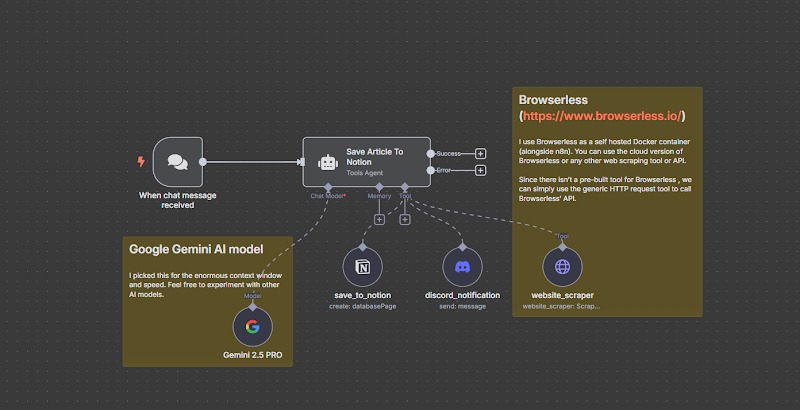
Let’s say you want to summarize emails automatically:
- Trigger: “New email received” (from Gmail)
- Action 1: Send email body to ChatGPT or Claude AI
- Action 2: Generate a short summary
- Action 3: Save it to Google Sheets or send via Slack
Using Zapier, this can be done visually in under 5 minutes.
Step 4: Add Human-Like Refinement
AI can make mistakes or sound robotic. To improve results:
- Add context prompts (e.g., “Summarize this email in a friendly tone for a marketing manager.”)
- Use feedback loops — if AI output is inaccurate, send it for manual review before automation continues.
Step 5: Monitor and Optimize
No-code tools give you analytics to track:
- How often your workflows run
- AI response accuracy
- Time saved per automation
Review these insights weekly and adjust prompts or connections to improve efficiency.
Bonus: Combine Multiple AIs
For advanced creators:
- Use ChatGPT for writing
- D-ID or Runway for video generation
- Whisper for voice-to-text
- Chain them together using Make or Zapier
You’ll have your own AI pipeline running like a mini company assistant.